What Is Hires.fix in AI Image Generation?

14
136
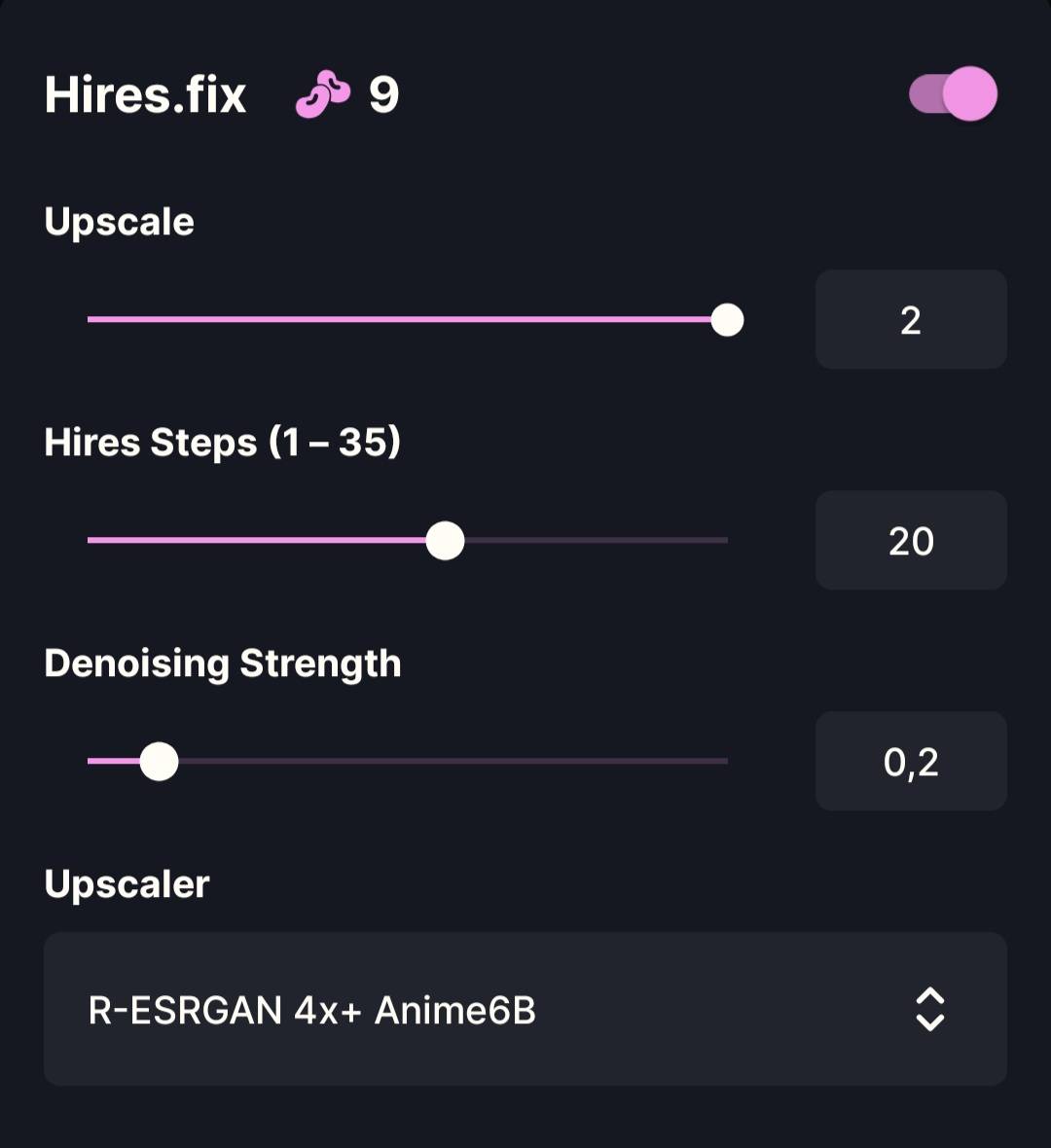
What Is Hires.fix in AI Image Generation? Hires.fix (High-Resolution Fix) is a two-stage generation process used to create larger images with better detail. Instead of generating a large image all at once, the AI: Generates a base image at lower resolution Upscales it Refines details during a second pass This helps avoid common high-resolution problems like:
- Blurry details
- Broken anatomy
- Washed-out textures Hires.fix is mainly used for final, high-quality renders, not for fast testing. _ Upscale By (1.0 – 2.0) What it doesControls how much larger the image becomes during the Hires pass. Examples
- 1.2 → slight size increase
- 1.5 → common quality upgrade
- 2.0 → double resolution Best practice
- 1.3 – 1.6 for most use cases
- 2.0 only if your VRAM and model can handle it Higher values increase:
- Render time
- VRAM usage
- Risk of artifacts _ Hires Steps (1 – 35) What it doesControls how many refinement steps are used during the Hires pass only(This is separate from your base Steps.) Hires Steps allow the AI to:
- Clean up edges
- Refine faces and hands
- Improve textures after upscaling Best practice
- 10 – 20 for most workflows
- 20 – 30 for detailed or realistic styles Using very high Hires Steps:
- Rarely improves quality
- Can overprocess the image _ Denoising Strength (0 – 1) What it doesControls how much the image is allowed to change during the Hires pass. This is the most important Hires.fix setting. How it works
- Low value → preserves the original image
- High value → redraws more of the image Best practice
- 0.3 – 0.45 → safest range (keeps composition)
- 0.5 – 0.6 → more detail, some changes
- 0.7+ → major changes (often unstable) Too high denoising can:
- Change faces
- Break anatomy
- Alter composition _ How Hires.fix Settings Work Together
- Upscale By → how big the image gets
- Hires Steps → how much refinement happens
- Denoising Strength → how much the image is allowed to change Balanced settings matter more than max values. _ Recommended Beginner Preset Safe, reliable starting point:
- Upscale By: 1.5
- Hires Steps: 15
- Denoising Strength: 0.35 This preserves the original image while improving clarity and detail. _ Common Beginner Mistakes
- Using Hires.fix for prompt testing
- Setting Denoising too high
- Using max Hires Steps expecting better quality
- Upscaling too aggressively on weak hardware Hires.fix refines — it does not fix bad prompts or anatomy. _ Final Takeaway Hires.fix is a polishing tool, not a magic fix.
- It improves detail after upscaling
- It works best with moderate settings
- Denoising Strength is the most critical control Used correctly, Hires.fix produces clean, high-resolution images without destroying the original composition. ___ AI Image Generation Settings Guide